
Here are 5 tools in StreetscapePLUS you may not know about, to help make your workflow more efficient.
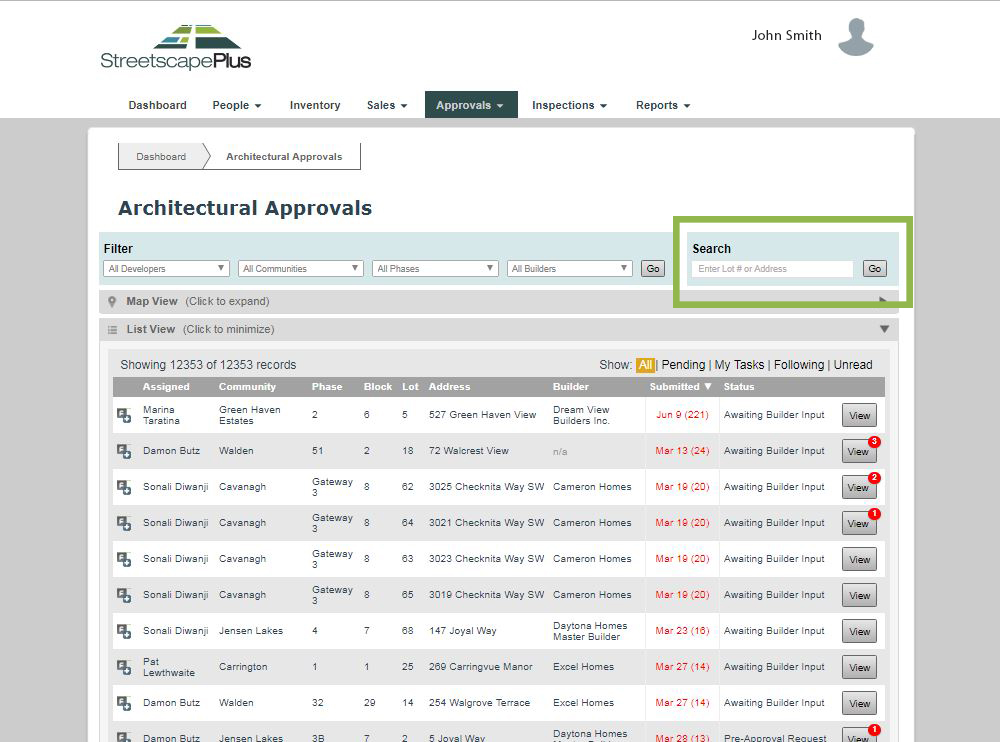
Search Box
At the top of all Lot Status List View pages, there is a search box - search for your lot by civic address, lot number, or community. The list will be refined to all lots containing your search. Be sure to clear the list after use, it will continue to filter the list by your search until cleared (either by clearing the text box and pressing go, or by pressing the X Clear filters button on the top of the list.
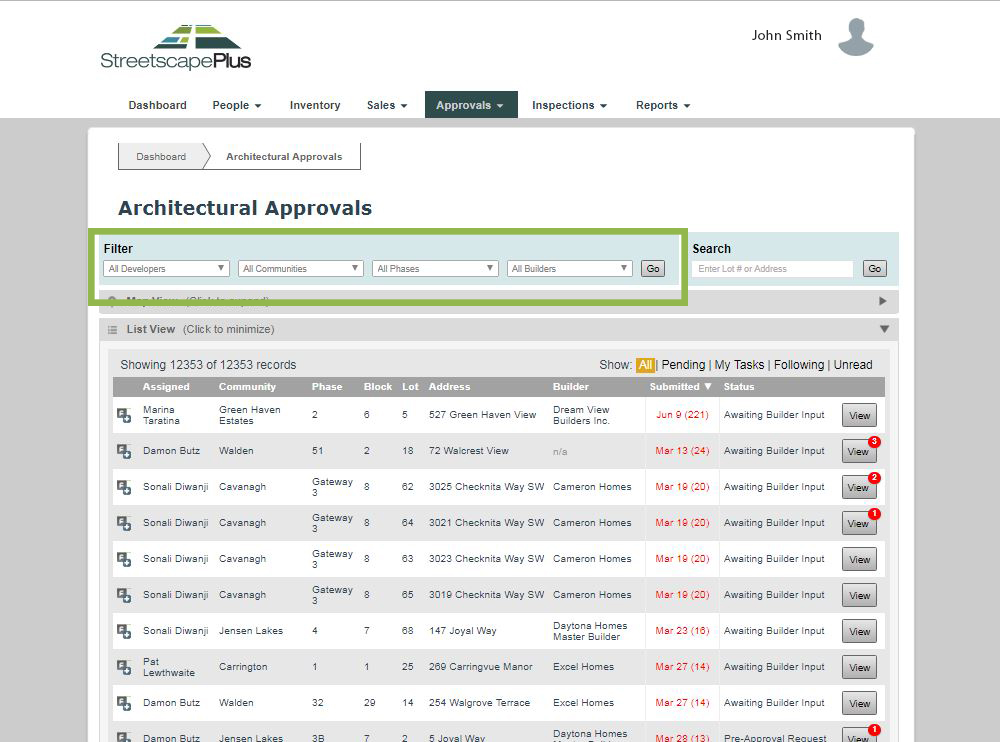
Filters
At the top of all Lot Status List View pages, there is a box of filters - use these filters to refine your list by Developer, Community, Phase and/or Builder. The list will be defined by your selection. Be sure to clear the list after use.
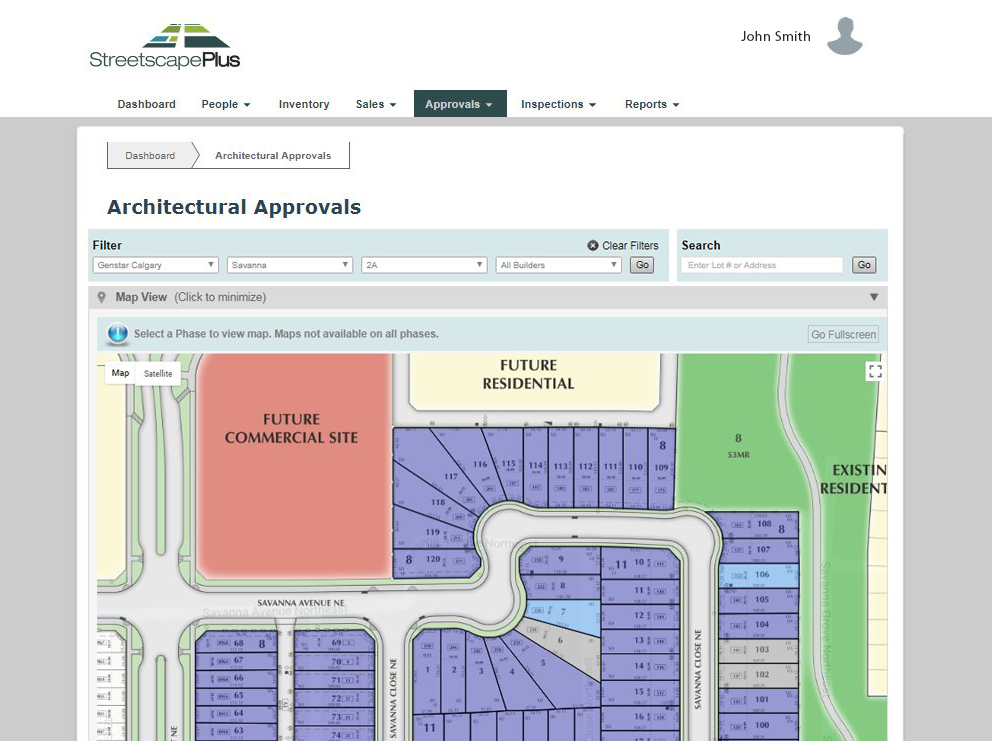
Map View
On all Lot Status List View pages, above the list of lots, there is a Map View bar. Click the bar to expand. In order for a map to appear, you have to use the filters above the map to narrow your search down to the Phase level. All maps are broken up by phase.
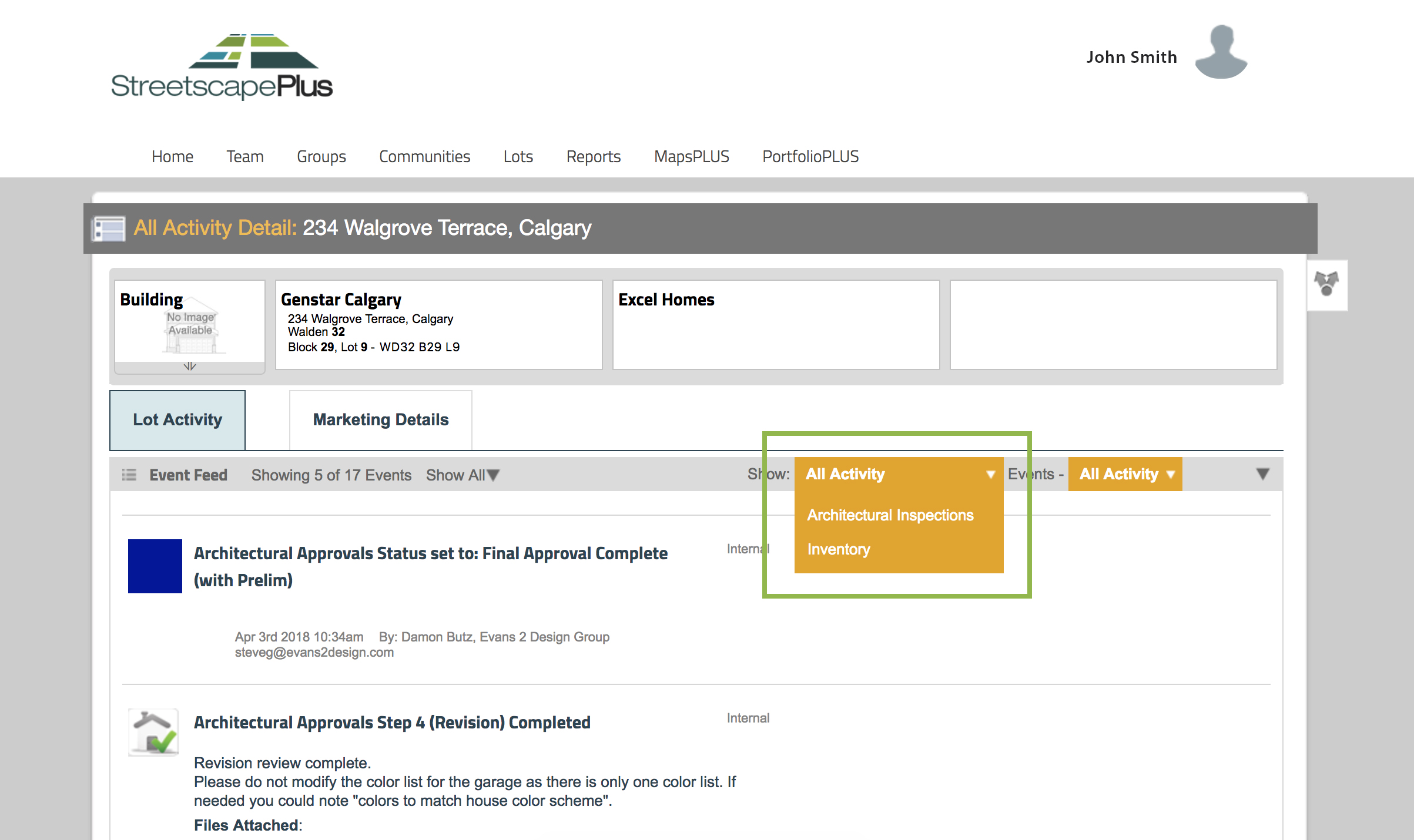
Changing Modules within Lot Detail Page
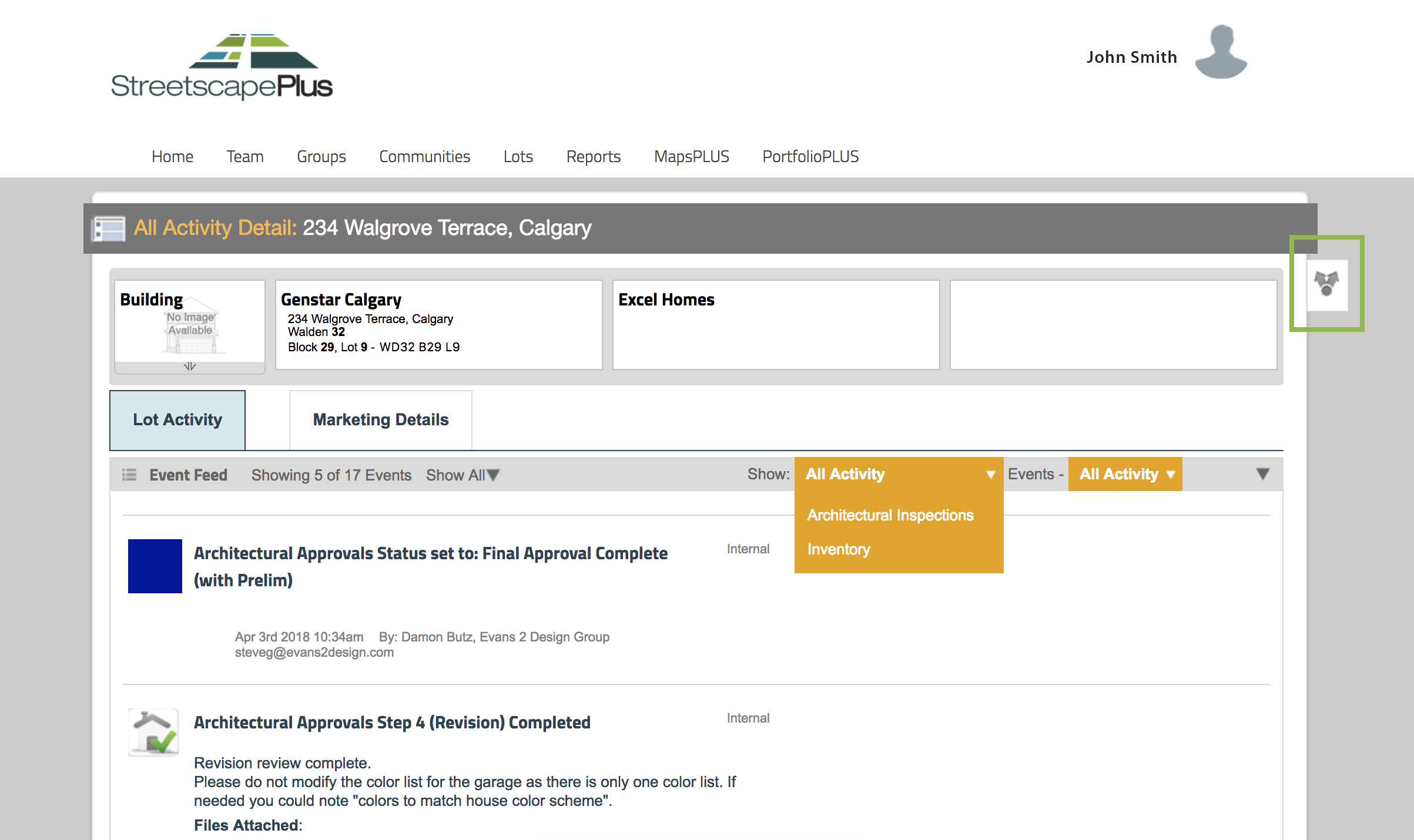
From the lot details page, you can easily switch modules or activities relating to that lot from a pull-down menu - such as from Architectural Approval to Architectural Inspection. Use the pulldown menu at the top right of the activity feed to switch module.
Share Feature
The share feature in the activity feed allows you select certain comments or activities within a lot to send to a colleague or your boss, making collaboration easier.
Click the share button on the right side of the lot detail screen, select one or more events in the activity feed and choose next. A popup window will appear prompting an email with the information you selected.
Notifications
There are two types of notifications you can setup in StreetscapePLUS:
- Lot Follows are Notifications on a status change of a particular lot - setup after submitting a request, or from the lot status list view under each module (the follow button is to the left of each lot listing)
- General Notification Rules are triggered by events and for large groups of lots. Based on community, phase or activity type, you will receive email summaries as per your selected frequency - setup under Settings > Notifications
View the Full Article on How to Setup Personal Email Notifications